解析两个域名,并且添加2个站点【一个前端站点、一个后端站点】
将后端的源码上传到后端的站点,并且上传数据库把数据库导入
在网站的根目录下找到.env文件,修改10-12行的数据库连接信息
DB_USER=数据库用户名
DB_NAME=数据库名
DB_PASS=数据库密码
【用加密版搭建的时候,先上传开源的app文件压缩包,启动进程管理在上传加密版】
设置后端网站运行目录为public以及ThinkPHP伪静态
配置后端站点nginx文件
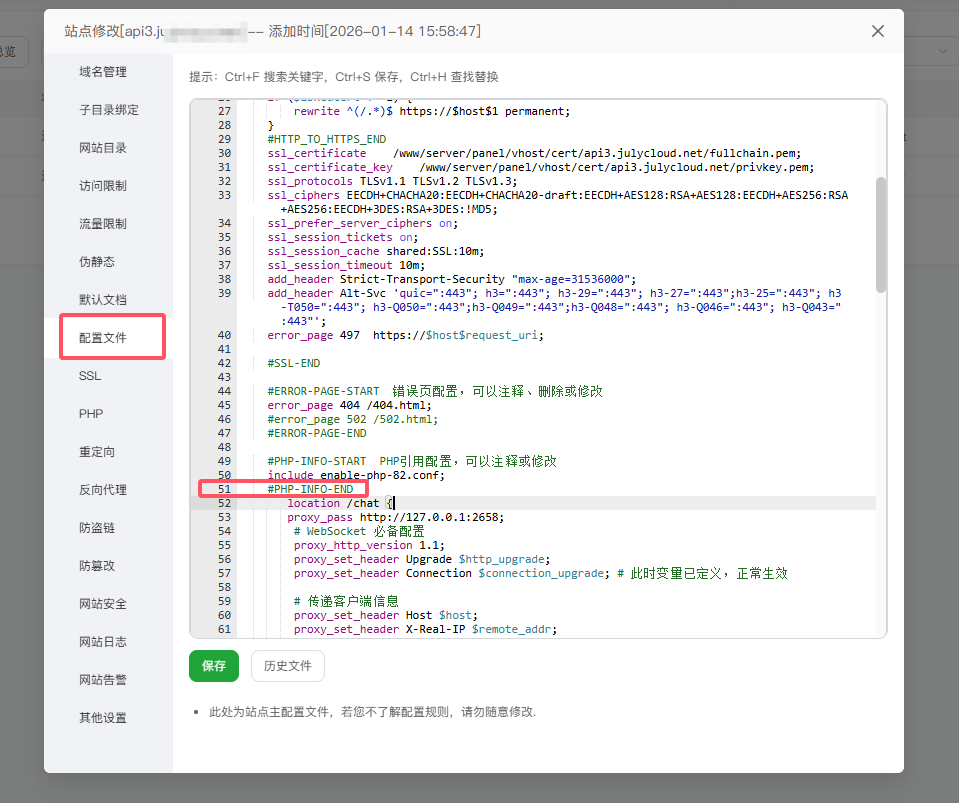
2388为你设置的端口 /www/wwwroot/xx.xx.net/workerman/config.php文件下设置端口
注意:这里的端口可以随意修改,修改在workerman/config.php中的9行,42-43行域名要更改成自己的
      location /chat {
       proxy_pass http://127.0.0.1:2658;
        # WebSocket 必备配置
        proxy_http_version 1.1;
        proxy_set_header Upgrade $http_upgrade;
        proxy_set_header Connection $connection_upgrade; # 此时变量已定义,正常生效

        # 传递客户端信息
        proxy_set_header Host $host;
        proxy_set_header X-Real-IP $remote_addr;
        proxy_set_header X-Forwarded-For $proxy_add_x_forwarded_for;
          proxy_set_header X-Forwarded-Proto $scheme;

        # 延长超时时间(适配长连接)
        proxy_read_timeout 600s;
        proxy_send_timeout 600s;
        proxy_request_buffering off;
        proxy_buffering off;
        proxy_cache off;

    }

      location ~ ^/storage/ {
        # 添加 CORS 头(必须使用 always,否则在错误响应时不会添加)
        add_header Access-Control-Allow-Origin * always;
        add_header Access-Control-Allow-Methods "GET, OPTIONS" always;
        add_header Access-Control-Allow-Headers "Origin, X-Requested-With, Content-Type, Accept" always;
        add_header Access-Control-Expose-Headers "Content-Type, Content-Length, Content-Disposition" always;
        add_header Access-Control-Max-Age 86400 always;

        # 处理 OPTIONS 预检请求
        if ($request_method = 'OPTIONS') {
            add_header Access-Control-Allow-Origin * always;
            add_header Access-Control-Allow-Methods "GET, OPTIONS" always;
            add_header Access-Control-Allow-Headers "Origin, X-Requested-With, Content-Type, Accept" always;
            add_header Access-Control-Expose-Headers "Content-Type, Content-Length, Content-Disposition" always;
            add_header Access-Control-Max-Age 86400 always;
            add_header Content-Length 0;
            add_header Content-Type text/plain;
            return 204;
        }

        # 不需要 alias,因为 root 已经指向 public 目录
        # /storage/ 会自动映射到 /www/wwwroot/EasyAdmin8-main/public/storage/

        # 缓存设置
        expires 30d;
        access_log off;
    }
完成以上的步骤,直接访问后端域名/admin 即可登录后端
默认账号:admin
默认密码:2106868181
如果访问提示:检测到有文件缺失,可尝试重新下载程序,请前往我们官网购买系统官方授权,后获得授权码,填入config/Auth.php
增加进程守护
名称:自定义
启动用户:root
进程数量:1
启动命令:php82 workerman/start.php start
php82 workerman/start.php start【如果进程无法成功启动,就更换一个端口】
出现端口被占用无法开启或者已经在运行实际上没有运行的问题
解决方法:
1:在/www/wwwroot/xxx.69box.cn/workerman/config.php 文件换个端口
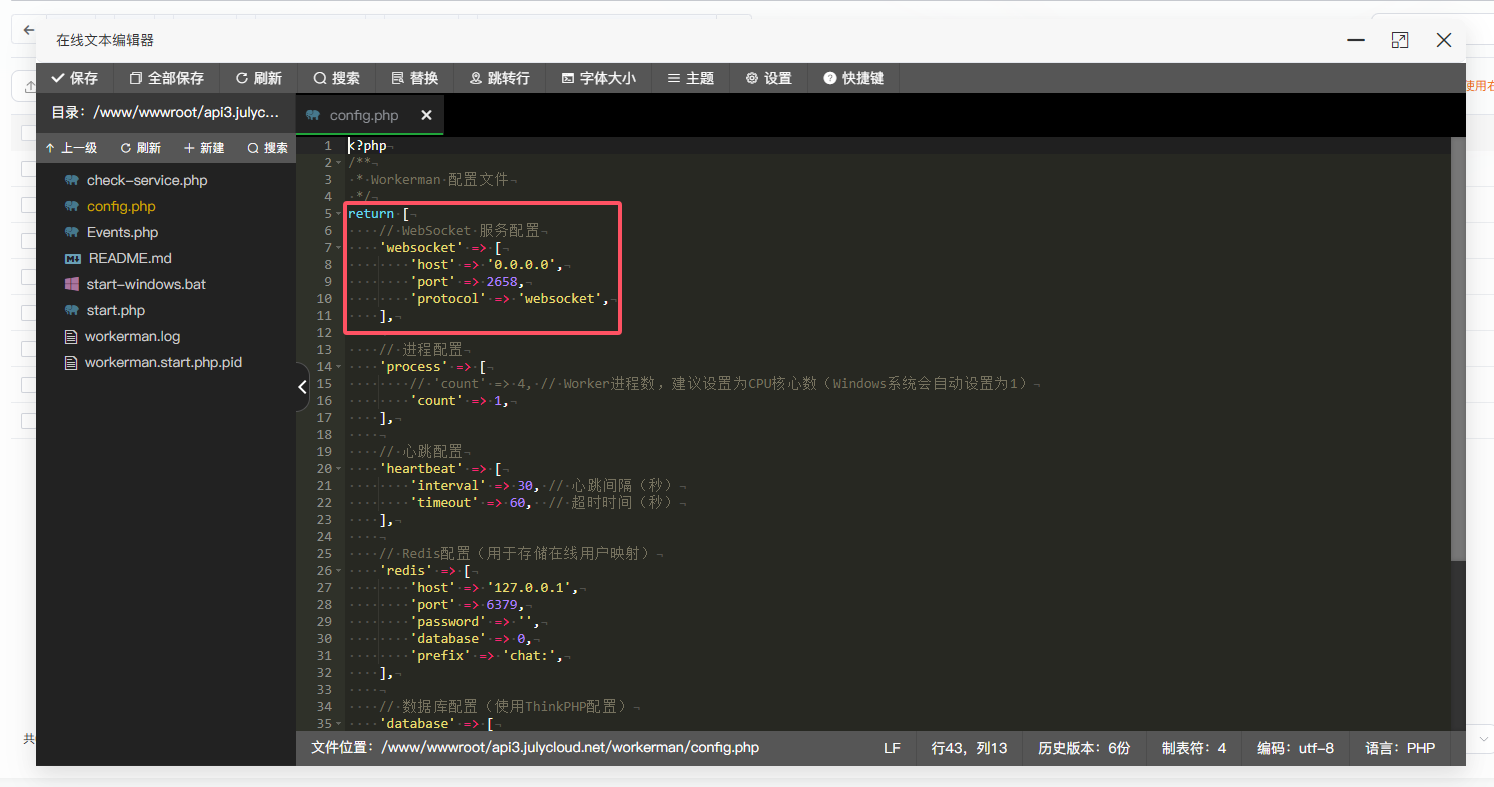
2:根目录执行命令
php workerman/start.php stop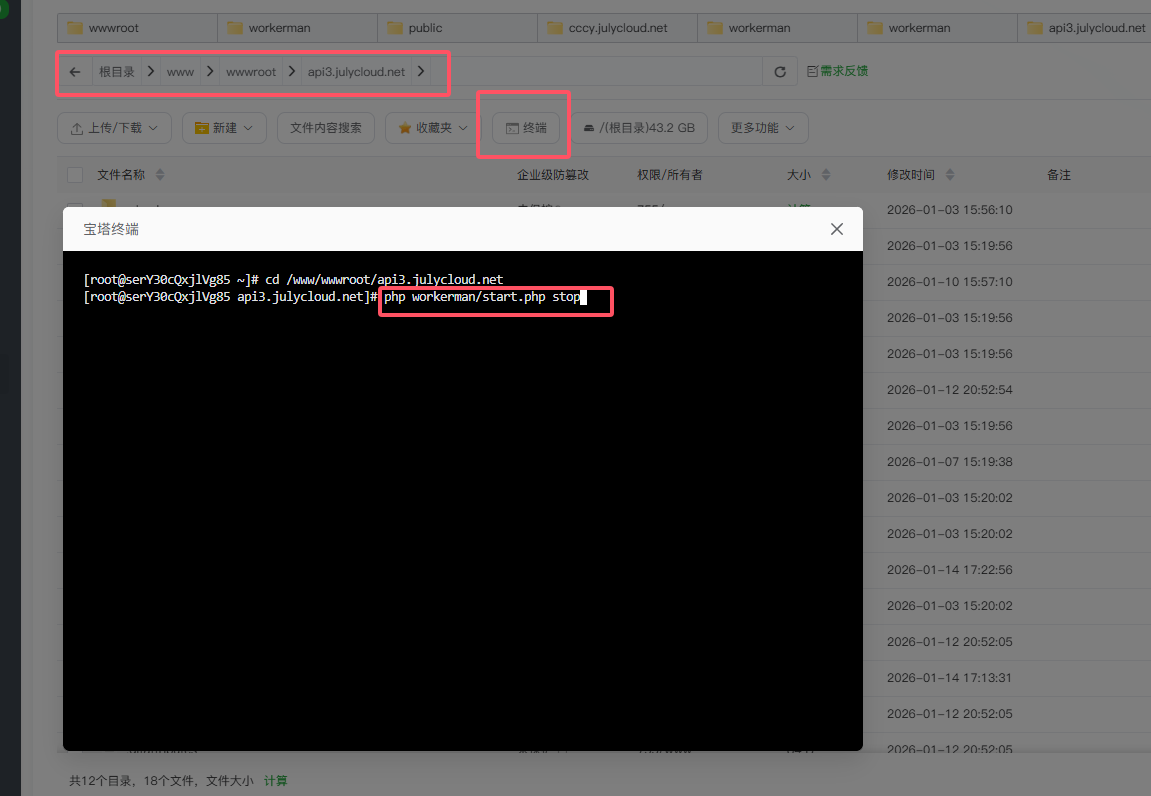
3:回到进程守护管理重新开启,显示运行中即正常